In our November 2025 edition of Online Campus News You Can Use, we advise you of important tool updates, tasks, and upcoming events to help faculty deliver high quality online instruction.
Hot Topics
Blackboard Ultra Updates
The following new features and fixes will be available with our update to version 4000.1 by November 6, 2025
Closed Captioning Audits
Closed-captioning compliance audits for instructional videos in Fall 2025 Blackboard courses started. Faculty members of selected course sections received notice on Wednesday, October 29th. Please note: non-compliant videos must be captioned or removed. For information and support regarding closed captions, see our Closed Captioning Compliance FAQ and Video Accessibility Guide.
Blackboard Chatbot Discontinued
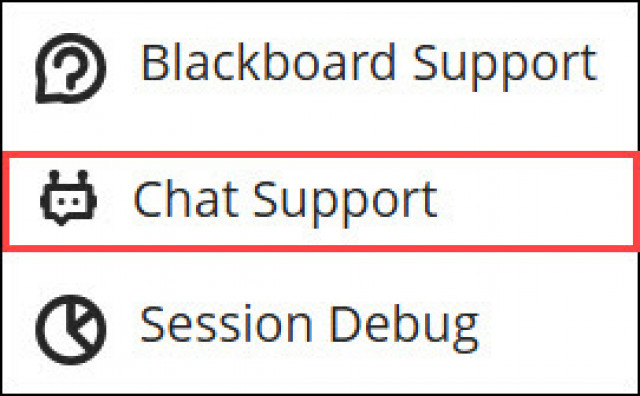
The free chatbot in Blackboard, BeeBee, will be discontinued on November 24, 2025. This is due to metrics indicating that few users are accessing the chatbot, with students and instructors instead referencing the Institution Page, training resources, or the Blackboard Help page.
Fall 2025 Training & Support Opportunities

Upcoming Anthology Events
Anthology Digital Teaching Symposium 2025
Get ready for an inspiring day of learning, collaboration, and innovation at the Anthology Digital Teaching Symposium 2025. Join us virtually on November 13, 2025, for this free, one-day event that brings together higher education faculty and teaching professionals from around the world to explore the latest insights and strategies shaping the future of digital teaching and learning.
Anthology Monthly Webinar Series Power UP^
Each 45-minute session spotlights key Blackboard tools and features designed to help you save time and increase your impact, guided by our experts and customers. In less than an hour, you’ll discover how to solve real challenges—from boosting operational efficiency to creating engaging learning environments—while helping your institution meet today’s requirements and deliver better outcomes for both learners and staff.
Innovative Educator Series - The One That Made Accessibility Effortless
Findings from the 2025 Anthology Faculty Survey highlight gaps in institutional support, but also reveal where LMS tools can help. In this session, we’ll show how tools like Anthology Ally integrate into your everyday workflows—making accessibility part of the process, not an added burden. Join us, Friday, December 12, 2025 ; 12 – 1 p.m. ET.
Ultra Support
Faculty Resources
For one on one consultation regarding the use of Blackboard to design and deliver courses that meet MATC's 2st Century Classroom Standards, contact your faculty coach in the Center for Teaching Excellence or schedule an appointment with Online Learning's Faculty Liaisons. For high-level troubleshooting of errors or activity that requires investigation, Contact the Online Learning. A Blackboard administrator will be in contact with you.
For self-directed or just-in-time training on Blackboard Ultra or other educational technologies, see these resources:
Student Resources - Share with Your Students!
See our Staff Resources Guide to Blackboard Ultra to review the training and support options we provide to students. In addition to options for live and self-paced online learning orientations, students can access support through the Student Online Learning Support Site.
Share our self-paced Online Readiness module and live orientation webinar schedule with your students to help them learn about the tools, tasks, and strategies to start their studies strong. If you share the Online Readiness module as a link in your course, use this specific URL: https://www.go2orientation.com/learn/course/matc-online-readiness?client=matc. This will take the student to an MATC login page where the student will log in with their MATC network account!
Log into the Online Orientation with an MATC network account to access a self-paced overview of the tools and processes successful online students use in their classes.
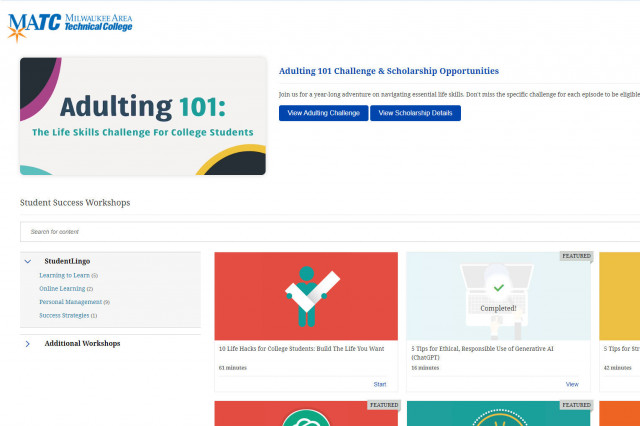
When logged into the Online Orientation, click on the Student Success Workshops link for on-demand training on generative AI, study skills, life skills, and more!

RSVP to join a Google Meet session lead by experts in the Online Campus. These sessions are perfect for viewing a live demonstration of Blackboard navigation and asking questions.