In our May 2025 edition of Online Campus News You Can Use, we advise you of important tool updates, tasks, and upcoming events to help faculty deliver high quality online instruction.
Hot Topics
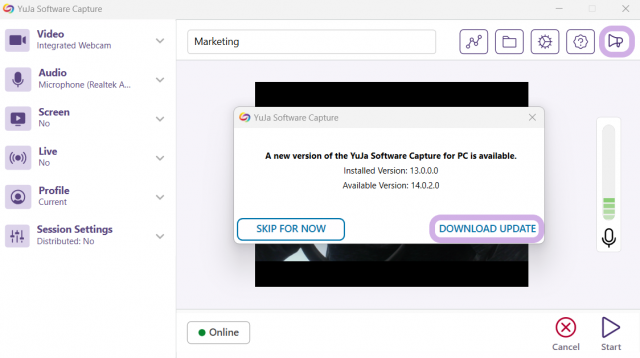
Update YuJa Software Capture
If you use YuJa Software Capture on a Mac or PC, be sure to update it to the latest version for best performance.
Class for Web Collaborate Maintenance Coming June 2nd
Recordings of Class for Web virtual meetings created before December 1, 2024 will be deleted from the Collaborate server on June 2, 8:00 AM CDT. This is necessary to maintain the tool's availability. Recordings are automatically backed up to your YuJa media library through the Collaborate Connector. To preserve recordings that are not already in your YuJa library, transfer them to YuJa before June 2, 2025. If you need assistance, refer to our walk-through instructions and demonstration videos.
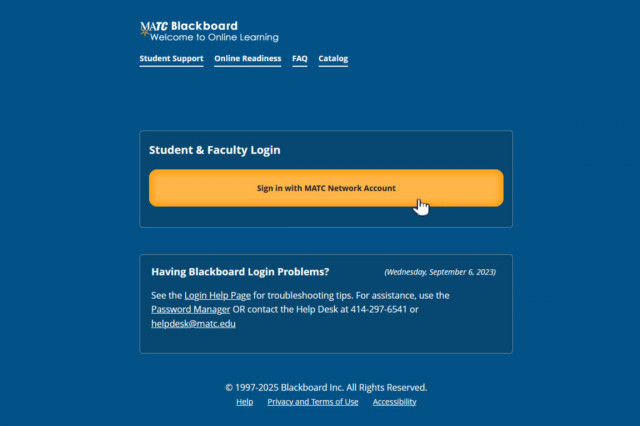
Blackboard Login Page Updates Coming June 6th
By June 6th, MATC’s Online Learning and IT teams will update the Blackboard login page. After the update, you’ll log in using your full MATC email address—just like you do for the MyMATC Portal. This change makes logging in easier and more consistent across MATC systems. More information will be announced as we get closer to this date.
AI Literacy Essentials For Students Micro-Credential
AI Literacy Essentials For Students: A Micro-Credential For Maximum Impact is a comprehensive six-part micro-credential series designed to equip college students with a fundamental understanding and practical knowledge of Artificial Intelligence (AI). This program covers everything from basic concepts and ethical considerations to the application of AI tools in academic and professional settings. Each 15-minute session is tailored to enhance students' AI literacy, preparing you for both academic success and future career challenges. Available through our Online Orientation's Student Success Workshops page.
Upcoming Special Events
Anthology's Blackboard Modernization Webinars
Join experts from Anthology to discuss key topics in designing high-impact courses. Click the links to register for free upcoming sessions available May through June!
- Blackboard Essentials for Instructors: Exploring Course Structure and Content
- Blackboard Assessments Simplified: Training for Instructors
- Streamlined Grading in Blackboard: Best Practices for Educators
- Navigating Blackboard Gradebook: Tips for Instructors and Course Builders
- Smart Course Creation: Leveraging AI Design Assistant in Blackboard
- Inclusive Design in Action: Maximizing Accessibility in Blackboard
Anthology's Innovative Educator Webinars
Revolutionize your teaching with cutting-edge strategies and technologies. Sessions are live and recorded for on-demand viewing.

Ultra Support
Faculty Resources
For one on one consultation regarding the use of Blackboard to design and deliver courses that meet MATC's 2st Century Classroom Standards, contact your faculty coach in the Center for Teaching Excellence or schedule an appointment with Online Learning's Faculty Liaisons. For high-level troubleshooting of errors or activity that requires investigation, Contact the Online Learning. A Blackboard administrator will be in contact with you.
For self-directed or just-in-time training on Blackboard Ultra or other educational technologies, see these resources:
- Blackboard Ultra Essentials Success Toolkit
- Ultra Faculty Support Website (Forms, Tutorials, Best Practice Guides, Recorded Workshops, Support Contacts)
Student Resources - Share with Your Students!
See our Staff Resources Guide to Blackboard Ultra to review the training and support options we provide to students. In addition to options for live and self-paced online learning orientations, students can access support through the Student Online Learning Support Site.
Share our self-paced Online Readiness module and live orientation webinar schedule with your students to help them learn about the tools, tasks, and strategies to start their studies strong. If you share the Online Readiness module as a link in your course, use this specific URL: https://www.go2orientation.com/learn/course/matc-online-readiness?client=matc. This will take the student to an MATC login page where the student will log in with their MATC network account!
Log into the Online Orientation with an MATC network account to access a self-paced overview of the tools and processes successful online students use in their classes.
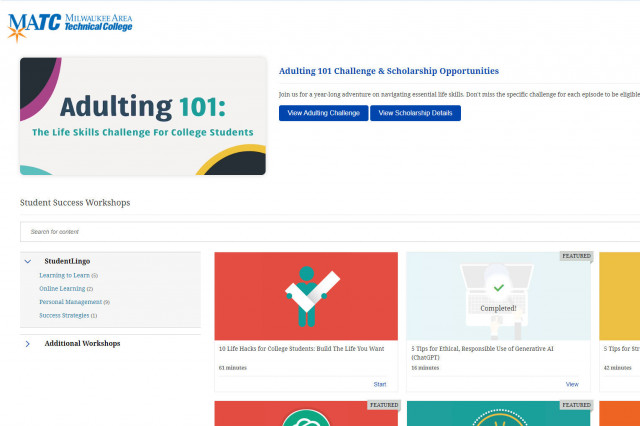
When logged into the Online Orientation, click on the Student Success Workshops link for on-demand training on generative AI, study skills, life skills, and more!

RSVP to join a Google Meet session lead by experts in the Online Campus. These sessions are perfect for viewing a live demonstration of Blackboard navigation and asking questions.