In our August 2025 edition of Online Campus News You Can Use, we advise you of important tool updates, tasks, and upcoming events to help faculty deliver high quality online instruction.
Feature: Fall 2025 Semester Success Toolkit

Hot Topics
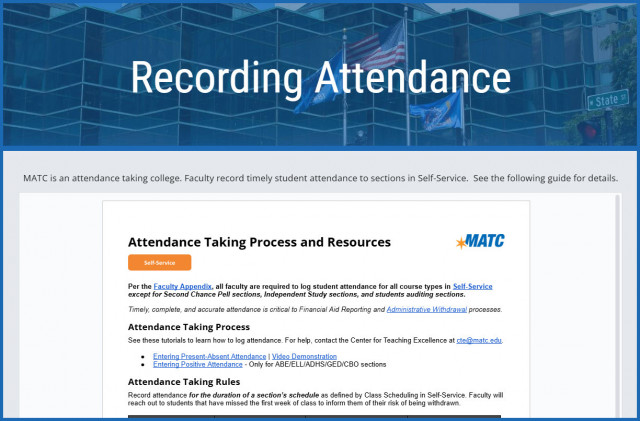
***Updated*** Attendance Taking Process and Resources
Per the Faculty Appendix, all faculty are required to log student attendance for all course types in Self-Service except for Second Chance Pell sections, Independent Study sections, and students auditing sections.
Timely, complete, and accurate attendance is critical to Financial Aid Reporting and Administrative Withdrawal processes.Please review the updated Attendance Taking Process and Resources document and see our Recording Attendance page for additional information.

Student Email Addresses Changing
MATC will consolidate student (@gmatc.matc.edu) and staff (@matc.edu) email domains into a single @matc.edu domain on Saturday, August 9, at 2 p.m. This change will eliminate confusion stemming from two separate email domains and improve administrative efficiency. Following this change, all new accounts will be part of the @matc.edu domain, with legacy gmatc.matc.edu accounts automatically converted and accessible via the matc.edu domain.
AI Literacy Essentials For Students Micro-Credential
AI Literacy Essentials For Students: A Micro-Credential For Maximum Impact is a comprehensive six-part micro-credential series designed to equip college students with a fundamental understanding and practical knowledge of Artificial Intelligence (AI). This program covers everything from basic concepts and ethical considerations to the application of AI tools in academic and professional settings. Each 15-minute session is tailored to enhance students' AI literacy, preparing you for both academic success and future career challenges. Available through our Online Orientation's Student Success Workshops page.
Ultra Support
Faculty Resources
For one on one consultation regarding the use of Blackboard to design and deliver courses that meet MATC's 2st Century Classroom Standards, contact your faculty coach in the Center for Teaching Excellence or schedule an appointment with Online Learning's Faculty Liaisons. For high-level troubleshooting of errors or activity that requires investigation, Contact the Online Learning. A Blackboard administrator will be in contact with you.
For self-directed or just-in-time training on Blackboard Ultra or other educational technologies, see these resources:
- Blackboard Ultra Essentials Success Toolkit
- Ultra Faculty Support Website (Forms, Tutorials, Best Practice Guides, Recorded Workshops, Support Contacts)
- Summer/Fall 2025 Professional Development Schedule
Student Resources - Share with Your Students!
See our Staff Resources Guide to Blackboard Ultra to review the training and support options we provide to students. In addition to options for live and self-paced online learning orientations, students can access support through the Student Online Learning Support Site.
Share our self-paced Online Readiness module and live orientation webinar schedule with your students to help them learn about the tools, tasks, and strategies to start their studies strong. If you share the Online Readiness module as a link in your course, use this specific URL: https://www.go2orientation.com/learn/course/matc-online-readiness?client=matc. This will take the student to an MATC login page where the student will log in with their MATC network account!

Log into the Online Orientation with an MATC network account to access a self-paced overview of the tools and processes successful online students use in their classes.
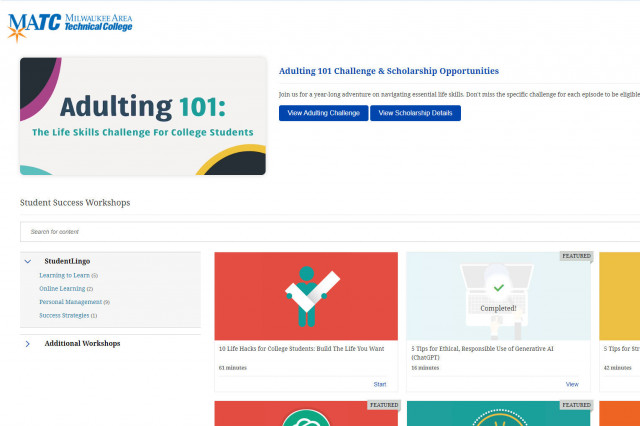
When logged into the Online Orientation, click on the Student Success Workshops link for on-demand training on generative AI, study skills, life skills, and more!

RSVP to join a Google Meet session lead by experts in the Online Campus. These sessions are perfect for viewing a live demonstration of Blackboard navigation and asking questions.